 Masterzic
Make the mix sound finished.
Masterzic measures the track first, then proposes a complete mastering chain — corrective EQ, dynamics, loudness and true-peak limiting. Every value stays editable, every decision has a reason.
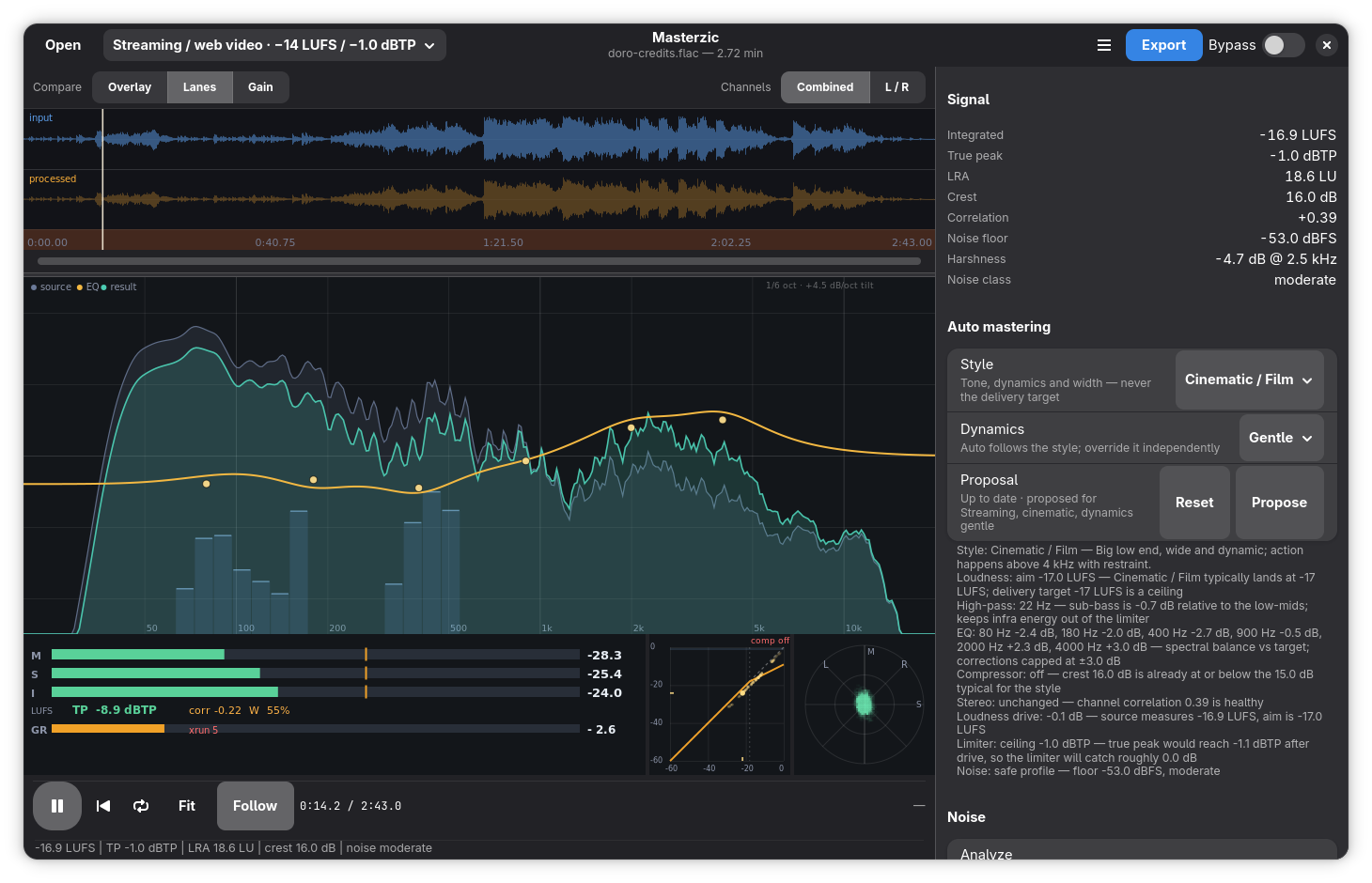
Inside the workstation
Live analysis, the dynamics display and the denoise panel, without the marketing mockups.

Built around what the track measures
A mastering chain, not a preset browser.
Loudness, peak and spectrum
Integrated, short-term and momentary LUFS, true peak, LRA, crest, stereo correlation, noise floor and octave balance.
A chain with justifications
Every EQ cut, compressor threshold and limiter ceiling comes from a measurement, with a plain-language reason.
EQ, dynamics, limiter
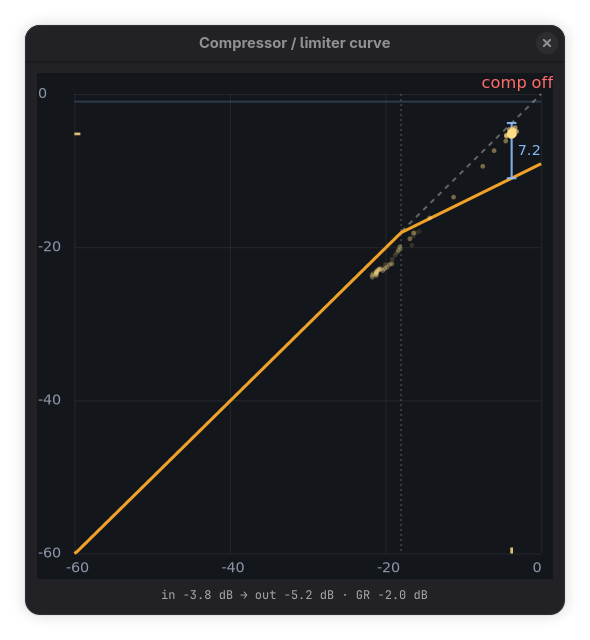
6 to 12 EQ bands, a compressor with a live transfer curve, de-esser, stereo width and a true-peak brickwall limiter.
Live analysis while you listen
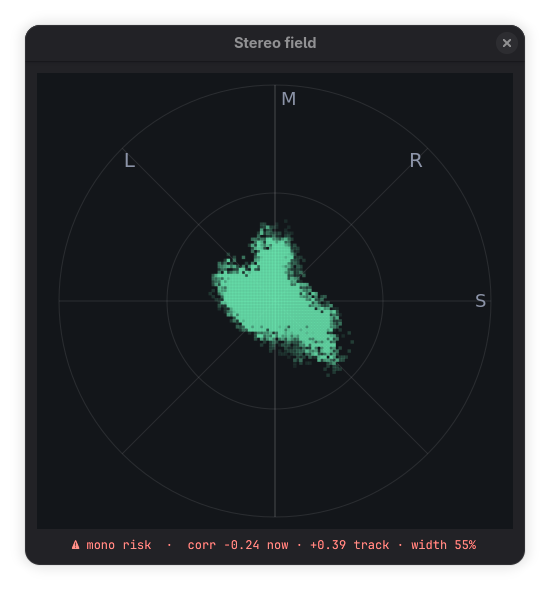
A live spectrum behind the EQ, a goniometer for the stereo field, gain-reduction history and large floating views.
Denoise without guessing
FFmpeg afftdn and a built-in spectral backend, with delay compensation, A/B and a solo of the removed signal.
What you hear is what you export
Export the monitored chain as-is, or explicitly normalize to the target. WAV, FLAC, MP3 and Opus with dither.
Install
A signed Flatpak repository, served from this domain. No Flathub account, no build tools.
GNOME Software
Download the reference file and open it with GNOME Software; updates arrive with the rest of your apps.
Download .flatpakrefIf the file downloads instead of opening, double-click it and choose “Software Install”.
Command line
Add the signed remote once, then install and update normally.
flatpak remote-add --if-not-exists --user --from \
  masterzic https://masterzic.metal3d.org/masterzic.flatpakrepo

flatpak install --user masterzic org.metal3d.Masterzic

flatpak update
Requires Flatpak and the GNOME runtime (installed automatically from Flathub). Linux x86_64.